VideoCopilot - Optical Flares
PRODUCT FEATURES
Featuring:
• 3D Lens Flares with AE Lights
• Intuitive Design Interface
• Live Visual Preset Library
• Real Texture Support
• Dynamic Triggering Animations
• Chromatic Aberration
• Up to 32 bpc color support
• Intuitive Design Interface
• Live Visual Preset Library
• Real Texture Support
• Dynamic Triggering Animations
• Chromatic Aberration
• Up to 32 bpc color support
What is Optical Flares?
Optical Flares is a plug-in for designing and animating realistic lens flares in After Effects.
NEXT-GENERATION INTERFACE
Build, Edit and Customize Lens Flares with amazing speed and simplicity
Interface Features
• 12 unique Lens Objects
• 50 custom Lens Objects
• Large Pop-Out Preview window
• Rename, & Rearrange Objects
• Show BG in Preview Window
• Integrated Copy & Paste
• Duplicate Objects & Undo/Redo
• 50 custom Lens Objects
• Large Pop-Out Preview window
• Rename, & Rearrange Objects
• Show BG in Preview Window
• Integrated Copy & Paste
• Duplicate Objects & Undo/Redo
Preset Browser
• 60 Built-in Presets (included)
• Real Lens Inspired Presets
• Share & Swap Presets
• Save All Settings in One Place
• Save & Reuse Individual Objects
• Expand and Build New Presets
• Real Lens Inspired Presets
• Share & Swap Presets
• Save All Settings in One Place
• Save & Reuse Individual Objects
• Expand and Build New Presets
Great For:
• 3D Animation
• Motion Graphics
• Commercials
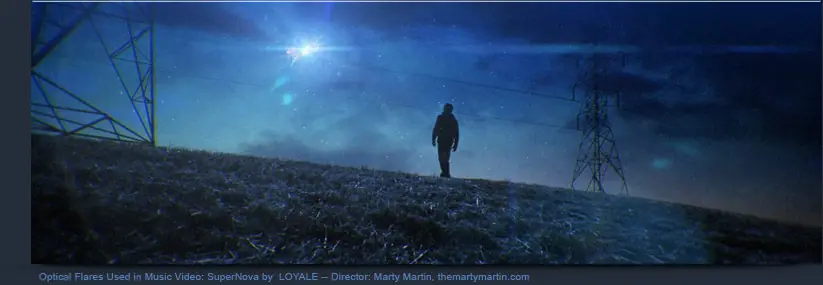
• Music Videos
• Graphic Transitions
• Compositing
• Special Effects
• Combine with Particle Effects
• Motion Graphics
• Commercials
• Music Videos
• Graphic Transitions
• Compositing
• Special Effects
• Combine with Particle Effects
Optical Flares Uses:
• Add final touches to Motion Graphics
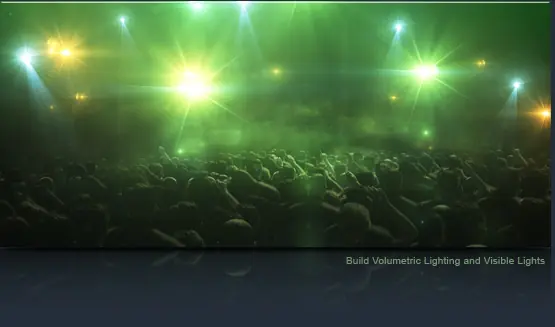
• Simulate Concert or Stadium Lighting
• Fake Volumetric Lighting
• Help Blend 3D Animations
• Build a virtual Light Array for Music Videos
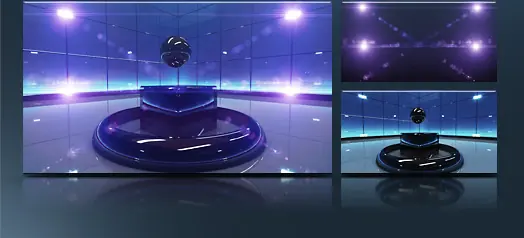
• Add Realism to your Virtual Sets
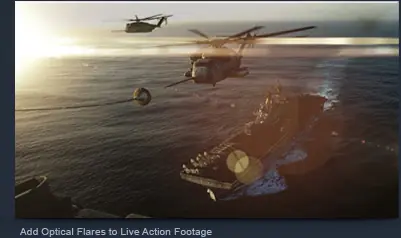
• Add Flares to Live Action Footage
• Simulate Visible Atmosphere with Lighting
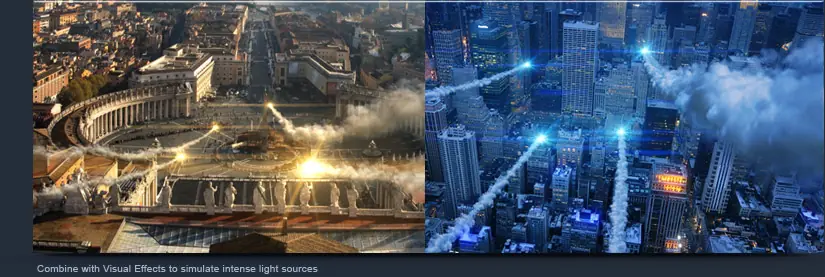
• Simulate Bright Lights in your scene
• Draw focus to a product or graphic
• Accentuate Highlights or contours
• Simulate Concert or Stadium Lighting
• Fake Volumetric Lighting
• Help Blend 3D Animations
• Build a virtual Light Array for Music Videos
• Add Realism to your Virtual Sets
• Add Flares to Live Action Footage
• Simulate Visible Atmosphere with Lighting
• Simulate Bright Lights in your scene
• Draw focus to a product or graphic
• Accentuate Highlights or contours
PRO PRESETS ADD-ON
Powerful Preset Pack for Optical Flares (optional)
Add More Flare!
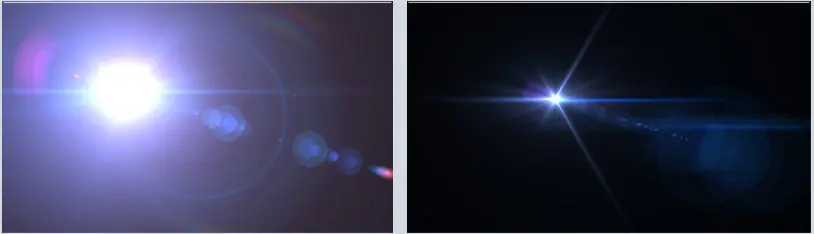
The Pro Presets is a collection of 50 detailed high-end flares set up with shimmer animation, edge flare-ups and more.
This collection offers greater versatility to the 60 built-in presets as well as providing creative ideas and usage of elements
Also, each object can be saved and combined with your other lens flare presets.
This collection offers greater versatility to the 60 built-in presets as well as providing creative ideas and usage of elements
Also, each object can be saved and combined with your other lens flare presets.
ADVANCED FEATURES
The most powerful Lens Flare tool in the world!
3D LENS FLARES
Optical Flares will automatically calculate size and intensity based on your 3D Lights.
• Generate lens flares from AE 3D lights
• Works with lights exported from your 3D applications
• Create multiple flares with 1 instance of Optical Flares
• Choose to render Flares for specific lights only
• Generate lens flares from AE 3D lights
• Works with lights exported from your 3D applications
• Create multiple flares with 1 instance of Optical Flares
• Choose to render Flares for specific lights only
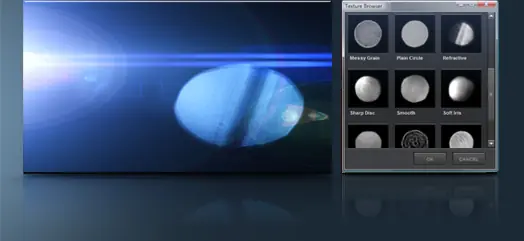
REAL TEXTURES
Add realism with lens artifacts from actual photographic elements to create the most genuine lens flares ever seen!
• Over 25 built-in textures to choose from
• Use custom layers from your project in a flare
• Auto-rotate textures towards light for realistic movement
• Custom layers can be still or animated
• Over 25 built-in textures to choose from
• Use custom layers from your project in a flare
• Auto-rotate textures towards light for realistic movement
• Custom layers can be still or animated
DYNAMIC TRIGGERING
Static lens objects come to life with dynamic triggering to create natural animations without keyframes!
• Recreate organic animation with several trigger types
• Create a flash of light as your flare exits the frame
• Iris elements change size as they drift away
• Trigger area can be previewed for precise animations
• Recreate organic animation with several trigger types
• Create a flash of light as your flare exits the frame
• Iris elements change size as they drift away
• Trigger area can be previewed for precise animations
KEY FEATURES
3D Lens Flare Creation Studio
On-Lens Simulations
Simulate dust & scratches on your lens that becomes visible by the light source. Includes 12 HD lens textures or use your own.
Simulate dust & scratches on your lens that becomes visible by the light source. Includes 12 HD lens textures or use your own.
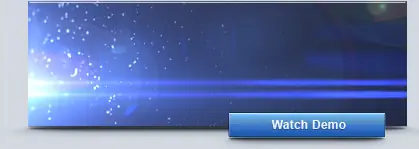
3D Occlusion
Obscure layers by alpha or luminance to simulate the light source going behind objects in the foreground. Works with 2D & 3D layers!
Obscure layers by alpha or luminance to simulate the light source going behind objects in the foreground. Works with 2D & 3D layers!
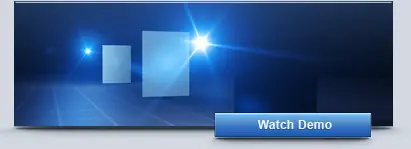
Luminance Tracking
Generate a lens flare from bright spots in your video such as a particle system or matte layer. Control resolution and threshold
Generate a lens flare from bright spots in your video such as a particle system or matte layer. Control resolution and threshold
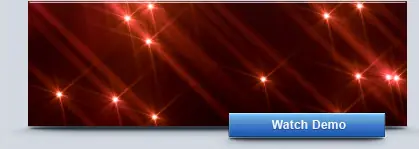
Mask Positioning
Animate lens flares along the contour of complex shapes with ease. Great for detailed shapes that would require extra key framing.
Animate lens flares along the contour of complex shapes with ease. Great for detailed shapes that would require extra key framing.
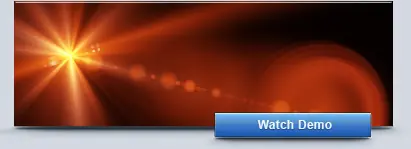
Auto-Shimmering
Add smooth flowing shimmer to elements with self-propelling animation. Simply set the amount and speed of the animation. -No Keyframes!
Add smooth flowing shimmer to elements with self-propelling animation. Simply set the amount and speed of the animation. -No Keyframes!
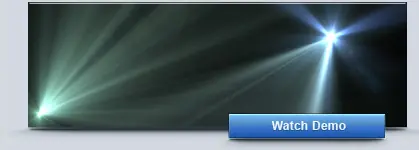
Chromatic Aberration
Simulate realistic color bleeding around the outside of the lens. This effect also helps make the lens flares look more organic & natural.
Simulate realistic color bleeding around the outside of the lens. This effect also helps make the lens flares look more organic & natural.
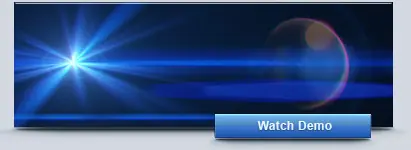
Light Flickering
Make lights appear more energetic with random light flickering featuring a unique seed for each light source. Choose from smooth or Twitchy.
Make lights appear more energetic with random light flickering featuring a unique seed for each light source. Choose from smooth or Twitchy.
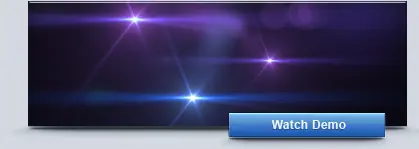
32 Bit & GPU Ready
Optical Flares renders up to 32 bpc offering high color fidelity as well as enhanced speed with Graphics card acceleration.
Optical Flares renders up to 32 bpc offering high color fidelity as well as enhanced speed with Graphics card acceleration.
Flexible Core Objects
Build stunning lens flares with the use of 12 powerful core objects. These elements offer unmatched flexibility with detailed control settings.
Build stunning lens flares with the use of 12 powerful core objects. These elements offer unmatched flexibility with detailed control settings.
http://img.videocopilot.net/assets/public/images/vc_cool/products/opticalflares/key_features/09.jpg
Precise Translating
Control the position of each object with distance, offset and custom translation. These features are essentials to building anamorphic elements.
Control the position of each object with distance, offset and custom translation. These features are essentials to building anamorphic elements.
ADVANCED TUTORIALS
Learn Optical Flare with fun projects
Light up the Night!
Optical Flares includes over 90 minutes of After Effects training by Andrew Kramer.
Learn to use Optical Flares with several real world examples and in-depth information on building complex lens flare presets from scratch.
The tutorial include building a wall of lights, constructing a bright concert scene and tutorials that teach you how to combine Optical Flares with live action footage.
Tutorials include footage and images required to complete the lessons with After Effects.
Learn to use Optical Flares with several real world examples and in-depth information on building complex lens flare presets from scratch.
The tutorial include building a wall of lights, constructing a bright concert scene and tutorials that teach you how to combine Optical Flares with live action footage.
Tutorials include footage and images required to complete the lessons with After Effects.
PLUG-IN SPECIFICATIONS
Mac & PC Compatible
Compatibility
Mac & PC Compatible
After Effects 7, CS3 & CS4
Video Card GPU Support (optional):
Optical Flares does not require a special graphics card to render but you can increase render performance with recommended cards.
Recommended Cards (optional):
Nvidia GeForce 7000 Series (Except 7300 on MAC)
Nvidia GeForce 8000 Series
Nvidia GeForce 9000 Series
Nvidia GeForce 200 Series
Nvidia Quadro FX Series
ATI X1300 and above on Windows
ATI HD Series on Mac
NOTE: Other graphics cards may be supported but speed improvements may not be as great. GPU Compatibility may vary on Mac converted Nvidia Cards, since updated drivers are not available from Nvidia.
Compatibility
Mac & PC Compatible
After Effects 7, CS3 & CS4
Video Card GPU Support (optional):
Optical Flares does not require a special graphics card to render but you can increase render performance with recommended cards.
Recommended Cards (optional):
Nvidia GeForce 7000 Series (Except 7300 on MAC)
Nvidia GeForce 8000 Series
Nvidia GeForce 9000 Series
Nvidia GeForce 200 Series
Nvidia Quadro FX Series
ATI X1300 and above on Windows
ATI HD Series on Mac
NOTE: Other graphics cards may be supported but speed improvements may not be as great. GPU Compatibility may vary on Mac converted Nvidia Cards, since updated drivers are not available from Nvidia.